Browser Extension for Productivity
Problem
Teamstand is a Chrome extension that automatically organizes files and other communication data shared across multiple sources, making it easy to find when needed.
As the first Head of Product Design, it was my mission to identify a strategic vision for the design of the beta product and lay the groundwork for executing on it. I oversaw all elements needed to craft the end-to-end experience for the product; including how users interact with the tool, information architecture, sketches, and wireframes to the research that helped us understand the user needs.
My Role
UI/UX Design
Team Leadership
User Research
PRODUCT MANAGEMENT
Platforms
BROWSER EXTENSION
User Research
When joining the company, the product was in its alpha phase and considering pivoting platforms from an embedded component that lives in Gmail into a Chrome extension that lives in your browser. Before taking on the effort to build an entire interface from scratch, I conducted a research study beforehand to assess the viability of the extension platform.
The design team first created low fidelity wireframes that were adapted into a click-through Figma prototype that could be tested on users and begin gathering data.
To kick things off, I wrote a test plan for the beta product that allowed the company to:
- Assess the commercial risks with real users.
- Understand if the browser-based product is something users would find value in using.
- Validate design choices before the development cycle.
- Identify roadblocks that might interfere with successful usage of the extension.
- Better understand the viability of proposed core features.
Identifying Workflows
In collaboration with the Commercial team and product owners, I worked to define all the workflows of our target personas. We broke out each workflow into steps and called out the most painful steps of each workflow.
By doing this, future design decisions could be informed by whether a feature or solution beng considered would address or provide a solution for the pain points in our users’ existing workflows as a way to answer if value was being provided to users.
Persona Creation
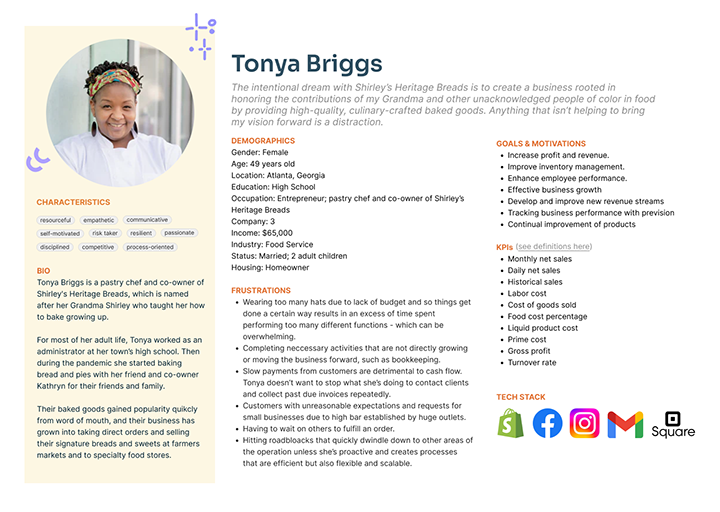
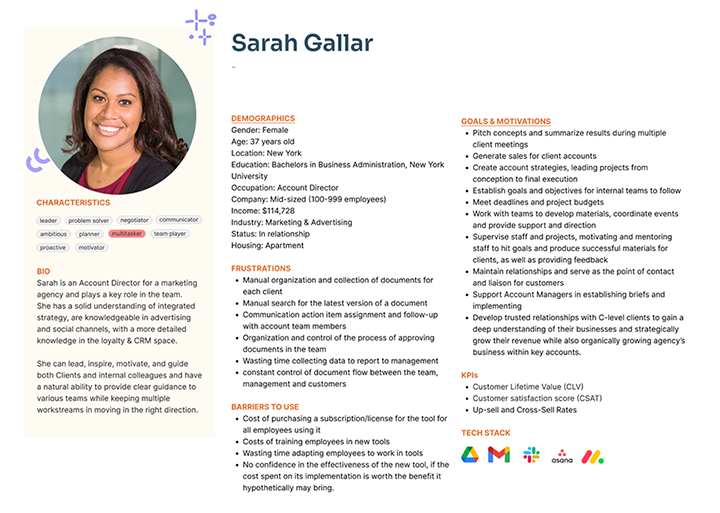
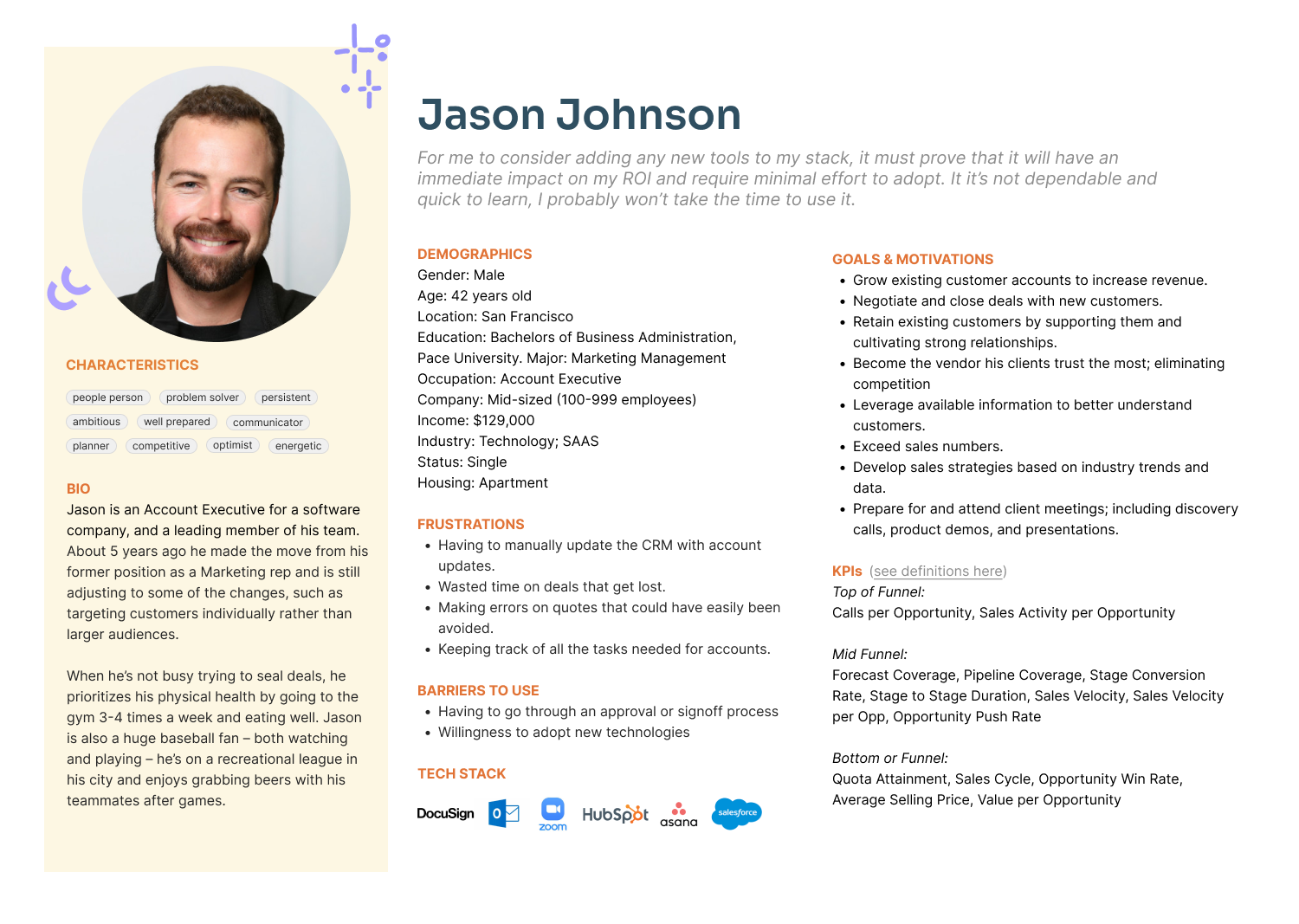
Nearly seventy interviews had been conducted with a mix of existing users, qualified prospects in the pipeline, and other members that met qualifications of the target audience segment. I re-watched previously recorded interviews and synthesized the data captured to establish a set of personas representing our users that all teams could refer to as a reminder for who the product we’re creating is for.
Previous
Next
Taxonomy & IA
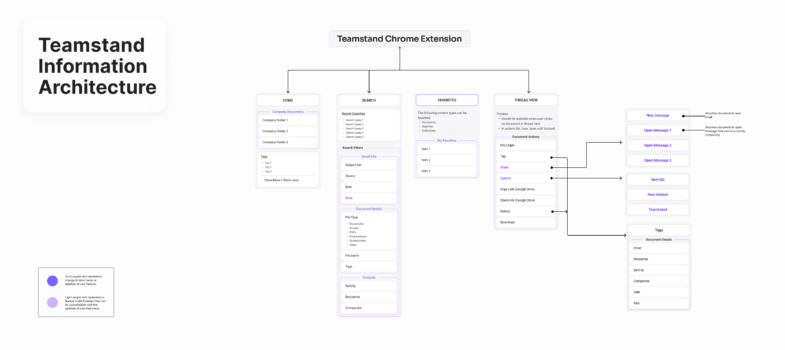
I organized information and features based on their similarities and differences to define the taxonomy for Teamstand.
By providing vocabulary for product-specific concepts, the objectives were to:
- Organize the “physical things” related to the product, so they are easier to find and interact with.
- Establish one, shared language for the product to avoid misinterpretation of ideas when information is exchanged.
- Create clearer navigation.
- Establish prioritization.
Card Sorting Exercise
Information Architecture Map
Solution
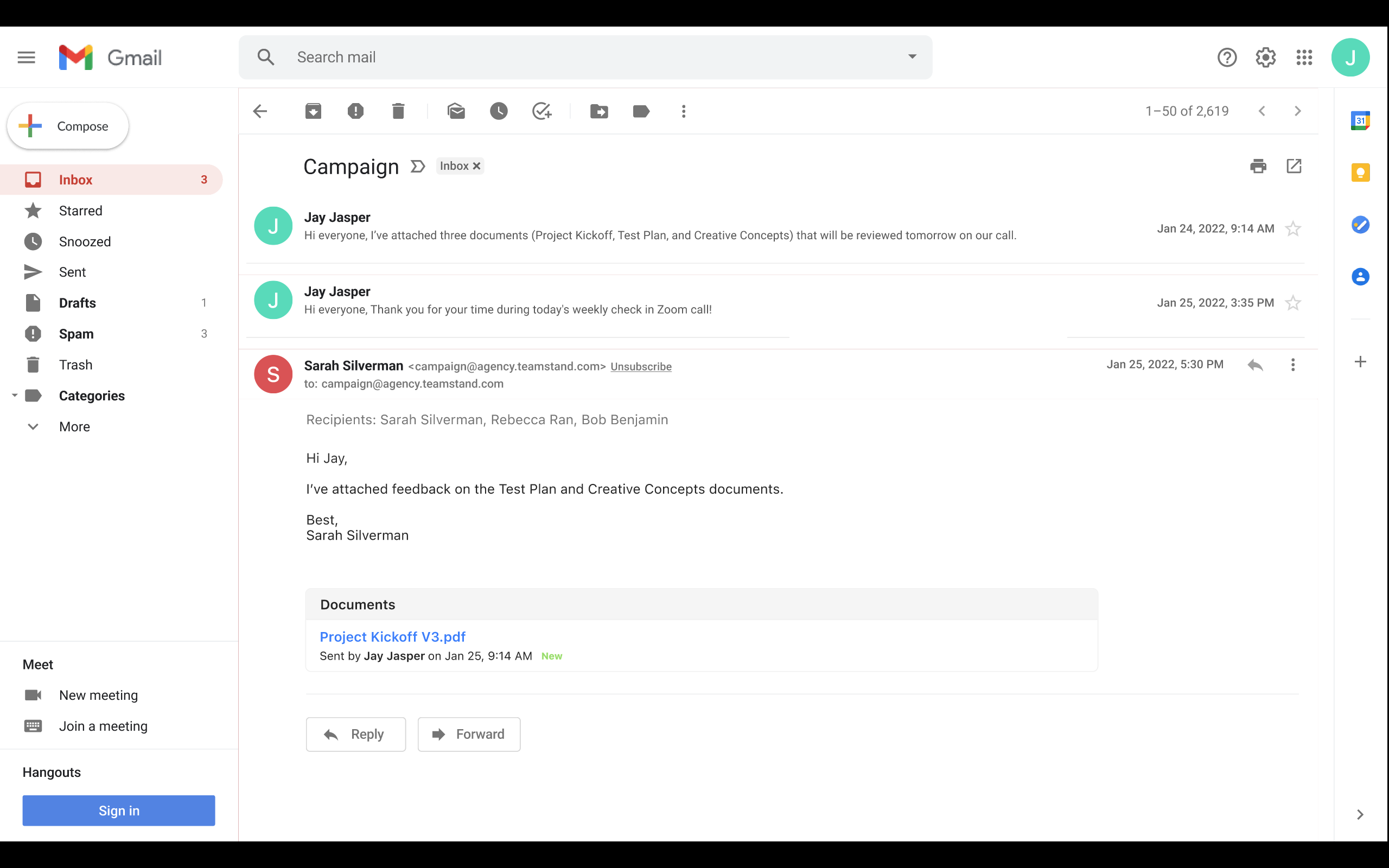
Before: Alpha Design
The alpha product’s design was a component embedded in the body of email messages that list all documents exchanged in a conversation thread.
After: Beta Design
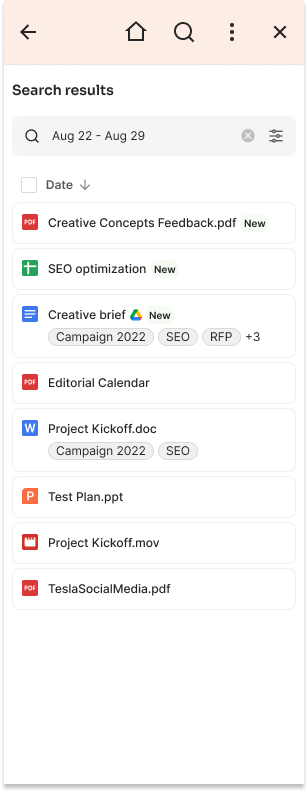
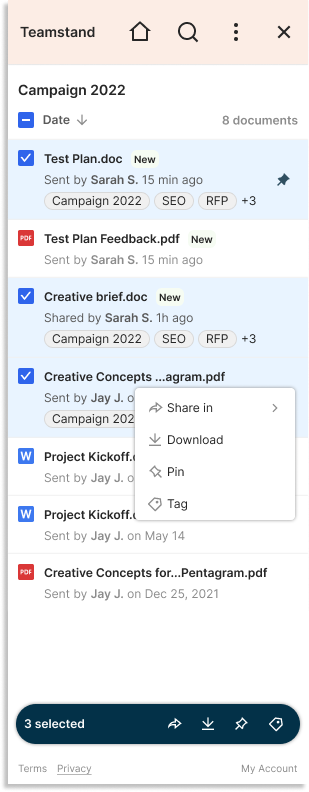
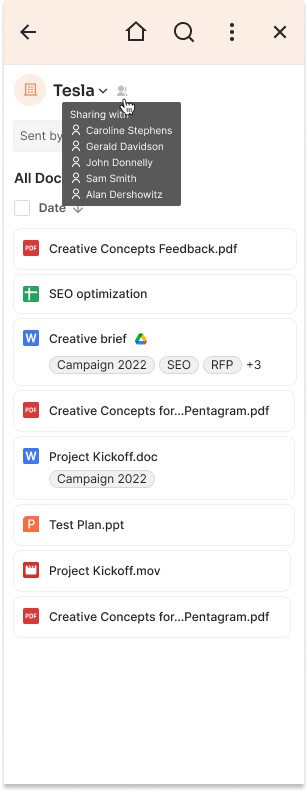
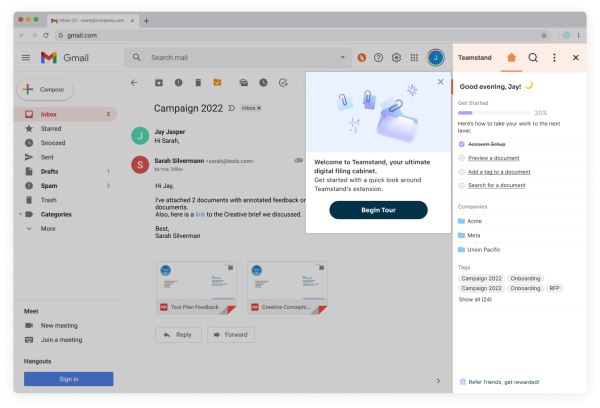
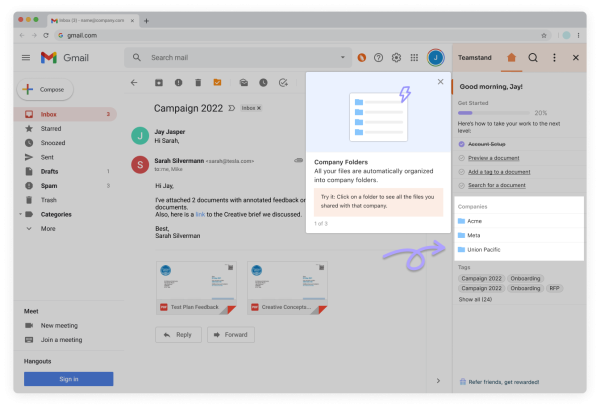
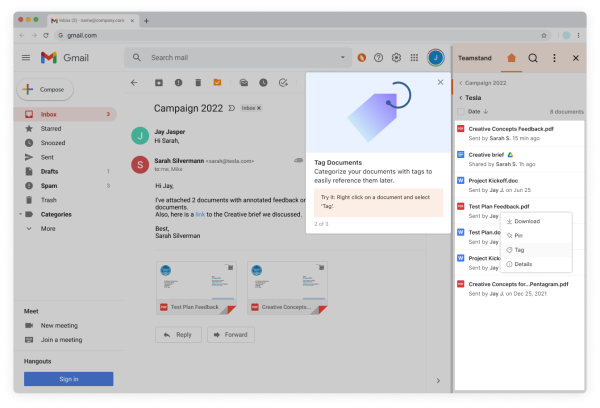
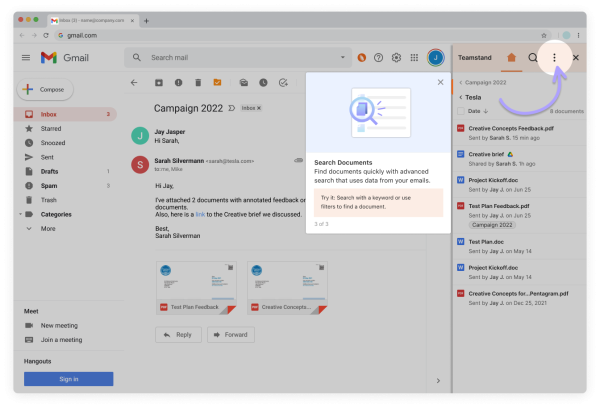
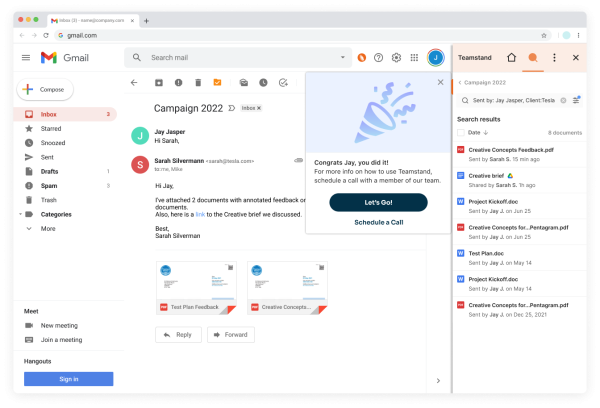
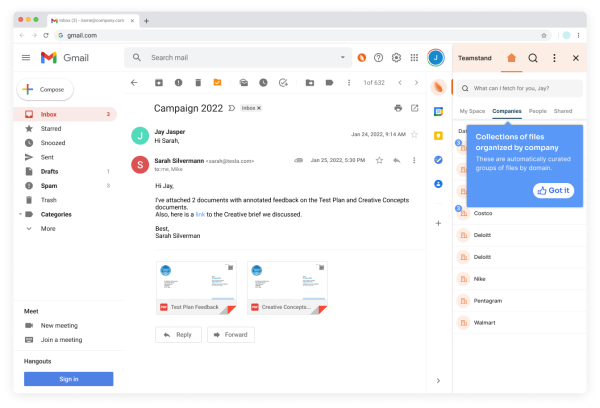
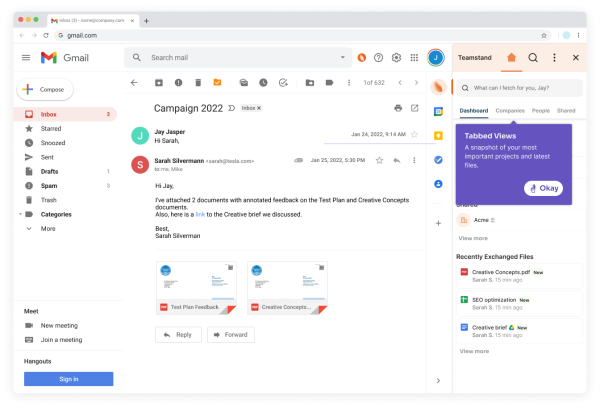
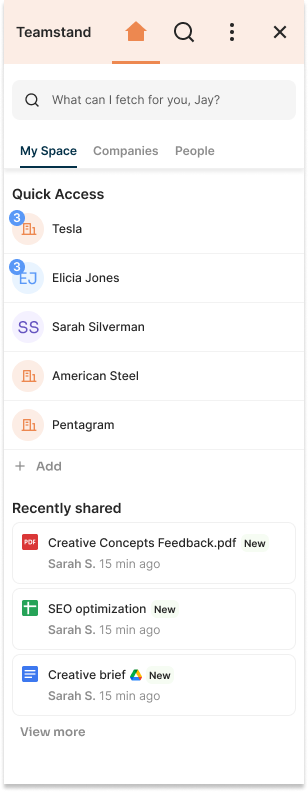
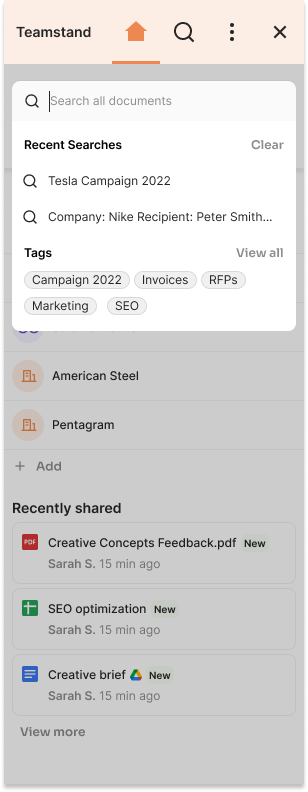
The current iteration of the app’s beta version is more easily accessible for users as a Chrome extension that lives in the add-ons area of Gmail. From the alpha to beta, the product’s design has made leaps in UX maturity with user-driven designs that are informed by data, research, and interviews.
Product Tour
Previous
Next
Visual Guide
Previous
Next
Home Screen
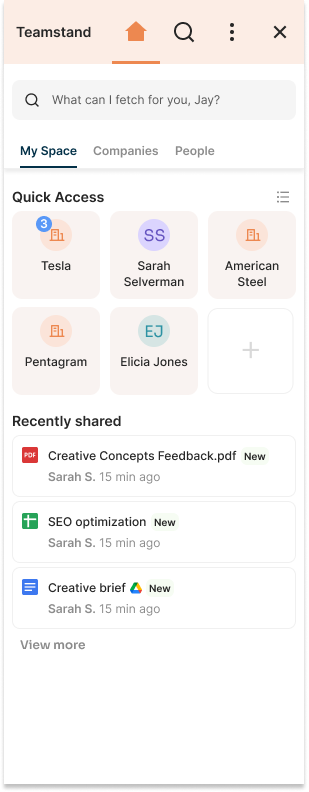
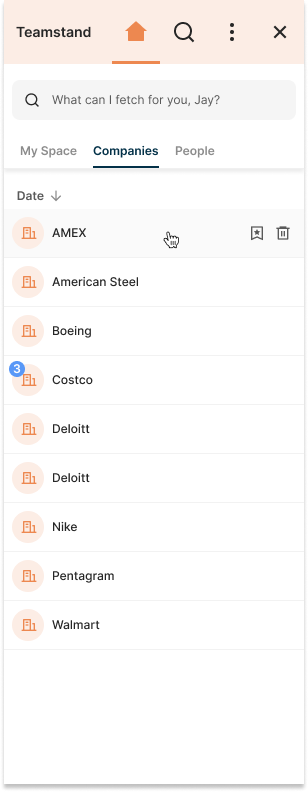
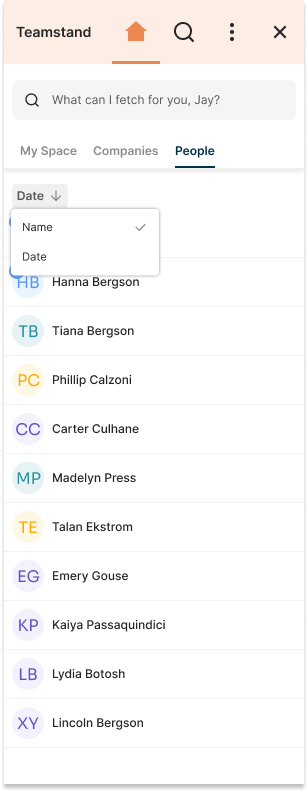
File List Views